
Book an experience step by step
From choosing an option and time slot to participant details, add-ons and confirmation.
6 min read
Every listing has one or more bookable options — for example a timed entry, a guided tour or a skip-the-line combo. Choose the option first, then the date, then the participants.
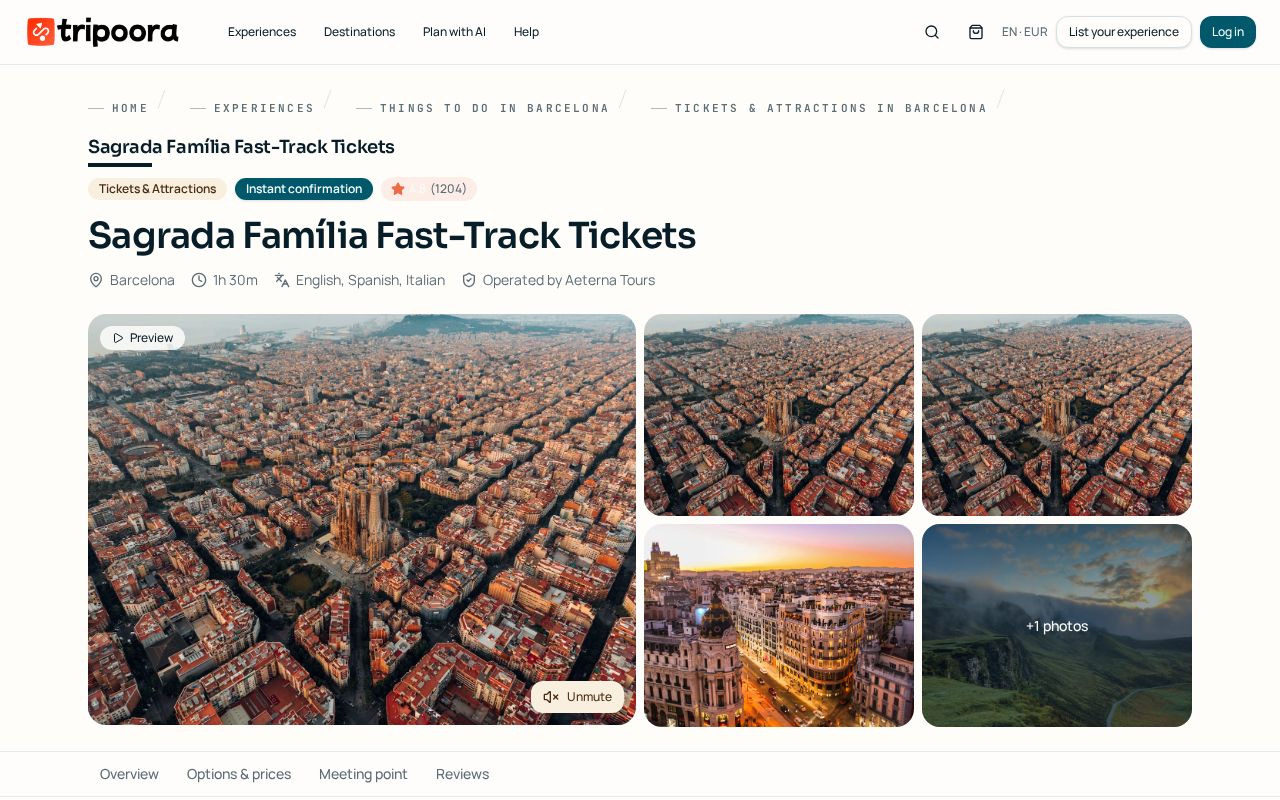
Step by step
- 1
Open the experience
Review the gallery, video preview, description, what's included, meeting point and the reviews section before booking.
- 2
Pick an option
Options sit above the calendar. Each shows its own price, duration, languages, group size limits and cancellation policy.
- 3
Choose a date and time
The calendar shows only dates with live availability. For fixed-slot products pick a start time; open-date tickets ask only for a validity date.
- 4
Set participants
Add adults, children or other categories. Pricing may be per person or tiered by group size, and the total number of participants can never exceed the option's maximum per booking.
- 5
Add extras
Optional add-ons such as audio guides or transfers appear under the participant selector with their own price.
- 6
Review your basket
Items are held for 20 minutes so inventory stays fair. If the hold expires, the item leaves your basket and you simply add it again.
- 7
Verify and pay
At checkout you confirm your email or mobile with a 6-digit code, fill in any participant details the supplier requires, then pay by card. You can create an account after paying.
- 8
Get your confirmation
Instant-confirmation products issue a voucher immediately. Request-to-book products show 'request pending' until the supplier accepts, usually within 24 hours.
Good to know
- Participant details such as passport number are only requested when the supplier legally needs them for entry.
- Booking for a group larger than the option maximum? Book two separate options or message the supplier for a private departure.
Frequently asked
Why did my basket empty?
Basket items hold real inventory for 20 minutes. After that the seats are released back to other travellers.
Can I book several suppliers at once?
Yes. You pay once and each supplier receives only the items they operate.
Do I need an account to book?
No. You can check out as a guest with a verified email or mobile, then create an account in one tap to keep your tickets.
Related guides
Find, download and use your tickets
Where vouchers live, how QR entry works and what to show at the gate.
Payments, cards and receipts
Accepted payment methods, saved cards, currency, invoices and payment security.
Cancel a booking or request a refund
How cancellation windows work, how to request a cancellation and when the money returns.